
Apple’s headline-grabbing Siri upgrade may have stolen the spotlight at WWDC, but iOS 27 is really about something bigger. Instead of forcing users into a new AI assistant experience, Apple is weaving intelligence directly into the apps people already rely on every day. The focus is simple: reduce friction, automate small tasks, and make the iPhone feel more aware of what you are trying to do without asking for it.
Bill splitting
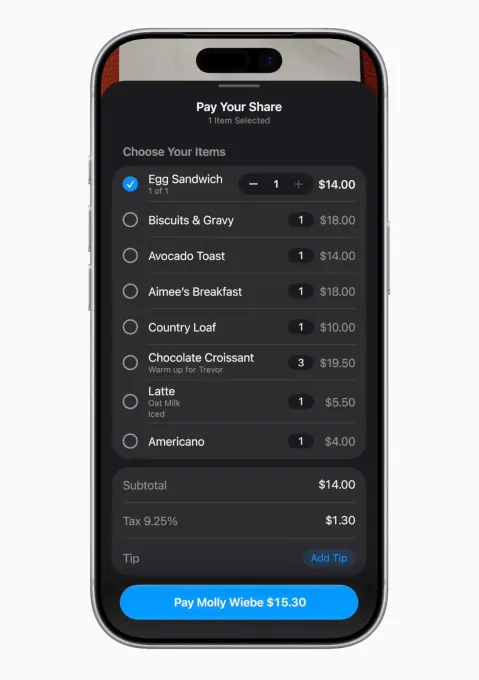
One of the most practical upgrades is smarter bill splitting through Apple Cash. Users can scan or upload a receipt, and Apple Intelligence automatically reads everything on it, including item prices, tax, and tip. From there, each person in a group chat can select what they ordered, and the system calculates exactly what they owe. Even shared items can be split in halves or custom portions. Payments are then completed instantly through Messages with a simple double-click confirmation.
What makes this feature stand out is how naturally it fits into existing habits. It does not feel like a separate app or process. Instead, it appears only when needed, quietly turning a normally awkward group calculation into a smooth digital exchange that happens inside conversations people are already having.
Password update
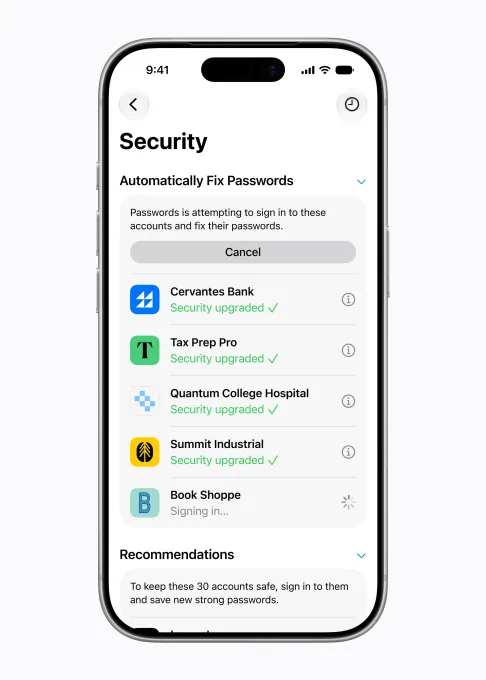
Security also gets a major boost with AI-powered password management. iOS 27 can now detect weak, reused, or compromised passwords and take action automatically. When a breach is detected, the system can securely log into affected websites and generate new, stronger credentials on behalf of the user.
This removes one of the most frustrating parts of digital security, manually changing multiple passwords after a leak. It also helps users who delay updates because of inconvenience, making strong security more automatic rather than optional.
Messages’ one-tap suggestions
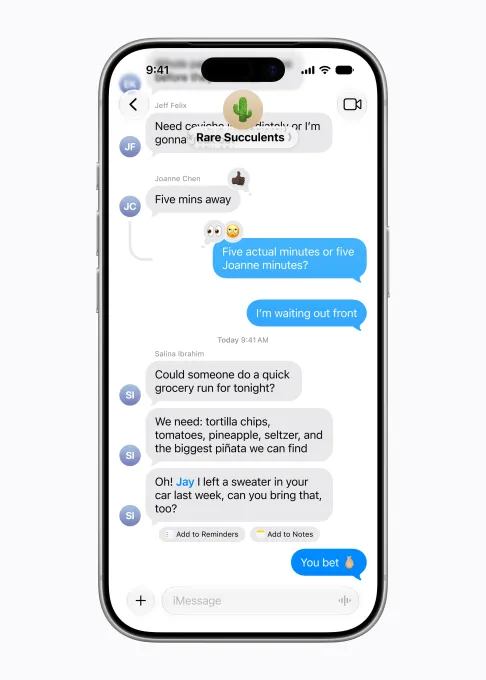
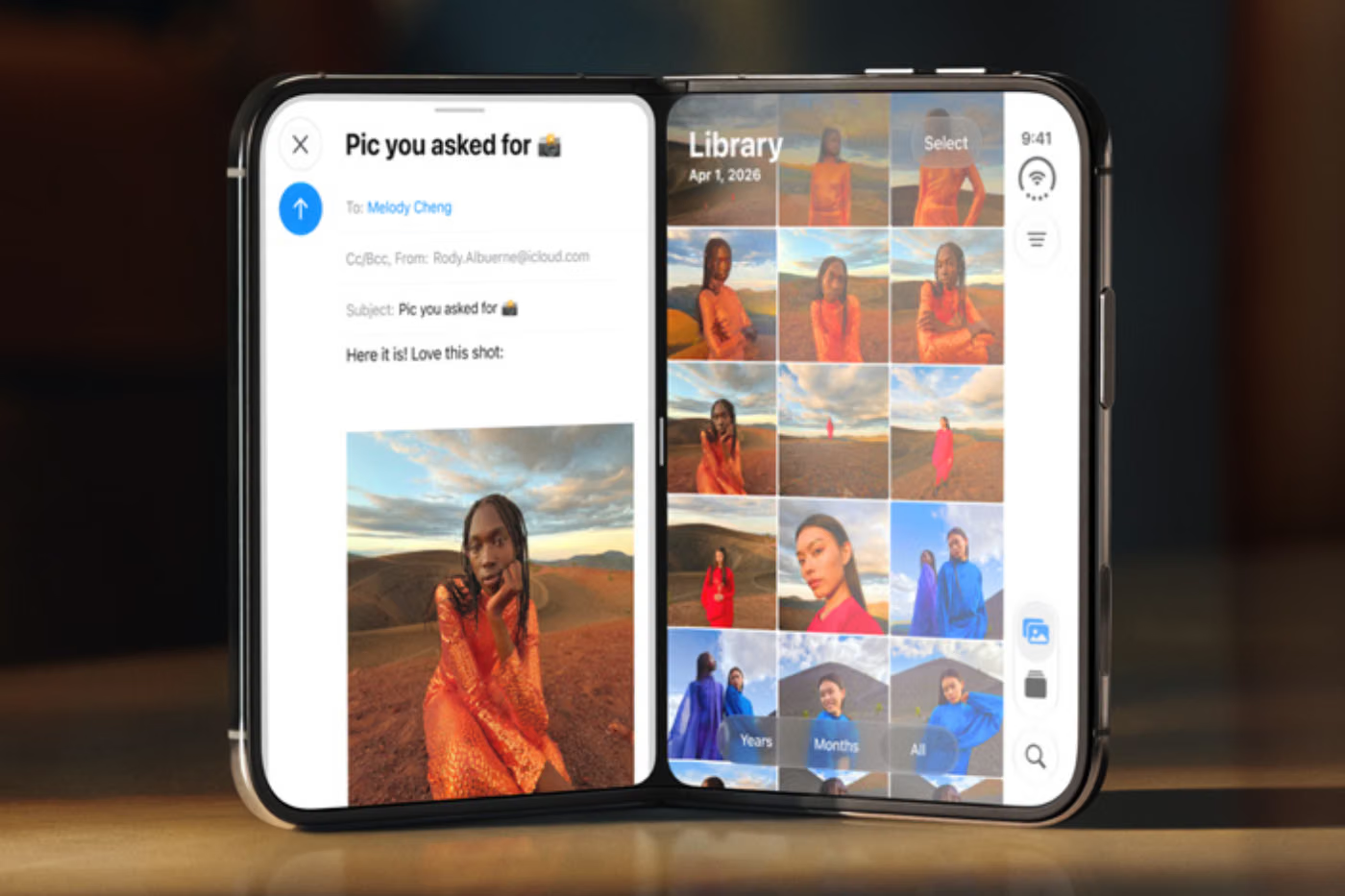
Messages becomes more proactive with intelligent one-tap suggestions based on what people are talking about. If someone asks for help remembering something, the phone may suggest adding it to Reminders. If a friend shares event details, it can suggest creating a Calendar entry. If photos are mentioned, it can recommend the exact images to send.
These suggestions appear directly inside conversations, blending into the chat experience rather than interrupting it. The result is a messaging app that quietly helps users act faster without switching between multiple apps.
Call context
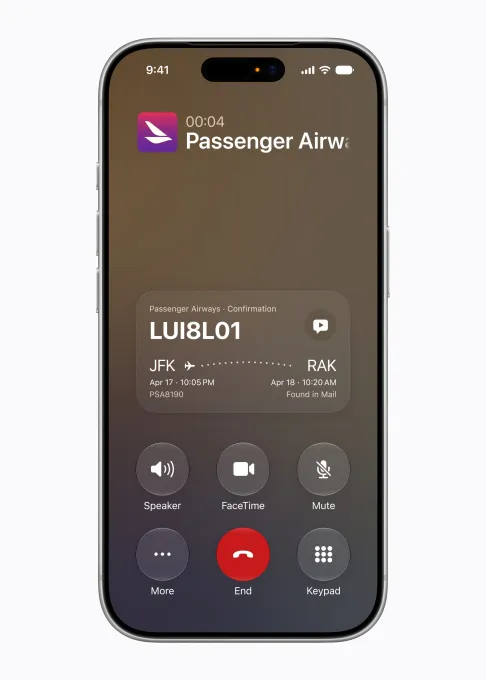
Phone calls are also getting a subtle but useful upgrade. When calling businesses like airlines or banks, iOS 27 can surface important details such as confirmation numbers or account information directly on the call screen.
The system pulls this data from Mail and other apps on-device, meaning users do not need to search through messages while on hold or speaking to an agent. It simply shows up when it is needed most, reducing stress in real-time conversations.
Adding Calendar events
Calendar is becoming more natural to use with support for everyday language input. Instead of manually filling out fields, users can just describe an event in plain speech or text. Apple Intelligence then extracts the time, location, and people involved, and automatically builds the event.
This makes scheduling feel less like filling out a form and more like having a quick conversation with your phone. It is especially useful for spontaneous plans or reminders that come up during the day.
Vibe-coding Shortcuts
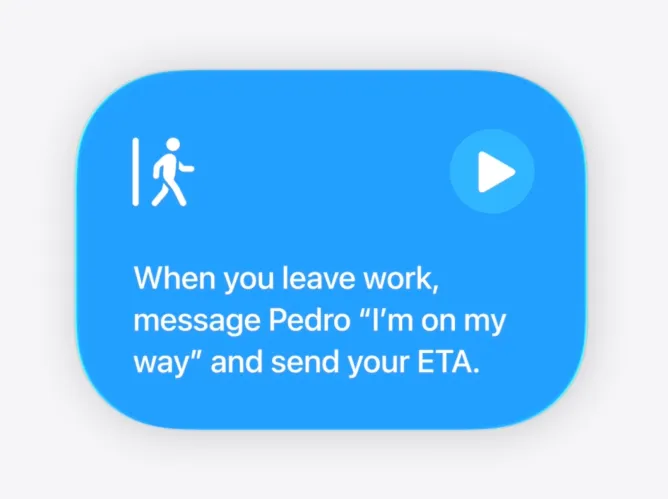
Shortcuts, one of Apple’s most powerful tools, is finally becoming more accessible. Instead of requiring technical setup, users can now describe what they want their phone to do, and iOS 27 will generate the automation.
This opens the door for everyday users to build routines like sending automatic “I’m on my way” messages, launching apps based on daily habits, or triggering smart home actions when arriving or leaving locations. What once felt like a power-user tool is now becoming something anyone can use.
Less Home app spam
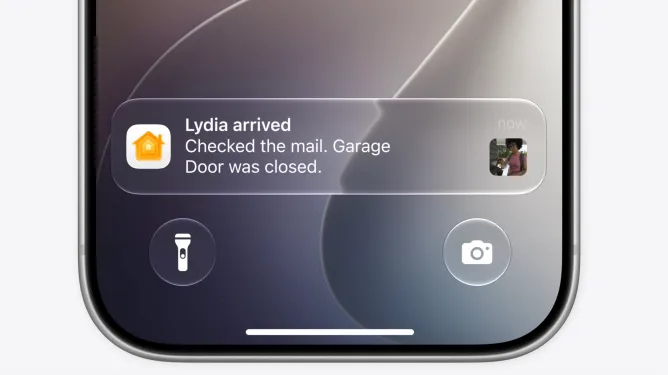
The Home app is also getting smarter about notifications. Instead of sending multiple alerts for every small action in a sequence, iOS 27 groups them into a single, meaningful update. For example, if someone arrives home, opens the garage, and enters the house, the system will send just one notification summarizing the full event.
It also improves smart home monitoring by surfacing important clips like deliveries or unusual activity, making it easier to review what matters without digging through constant alerts.
Organized tabs in Safari
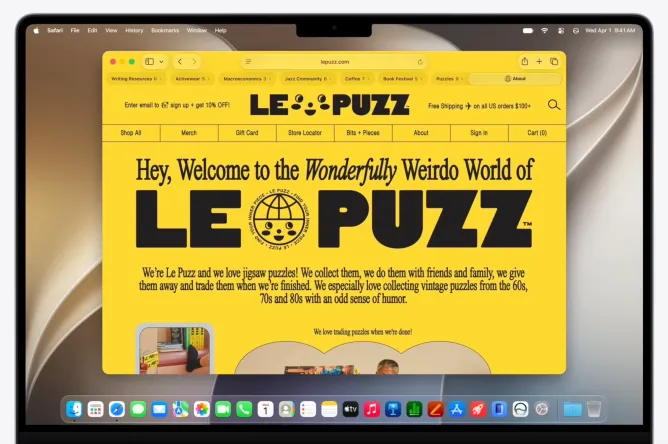
Safari is cleaning up browser chaos with AI-powered tab organization. The system understands what users are browsing and groups related pages automatically. Travel research, shopping comparisons, or work documents can all be sorted into clean tab groups without manual effort.
This turns Safari into a more structured research space instead of a cluttered pile of open tabs, while still keeping everything private and processed securely on-device.
iOS 27 does not try to reinvent the iPhone experience with flashy AI tricks. Instead, it quietly upgrades the everyday moments that already define how people use their devices. From splitting dinner bills to cleaning up notifications and organizing research, Apple is betting on a different kind of intelligence, one that blends into the background and simply makes life easier.
And that is the real shift. Not an AI you talk to, but an iPhone that already understands what you need before you ask.